
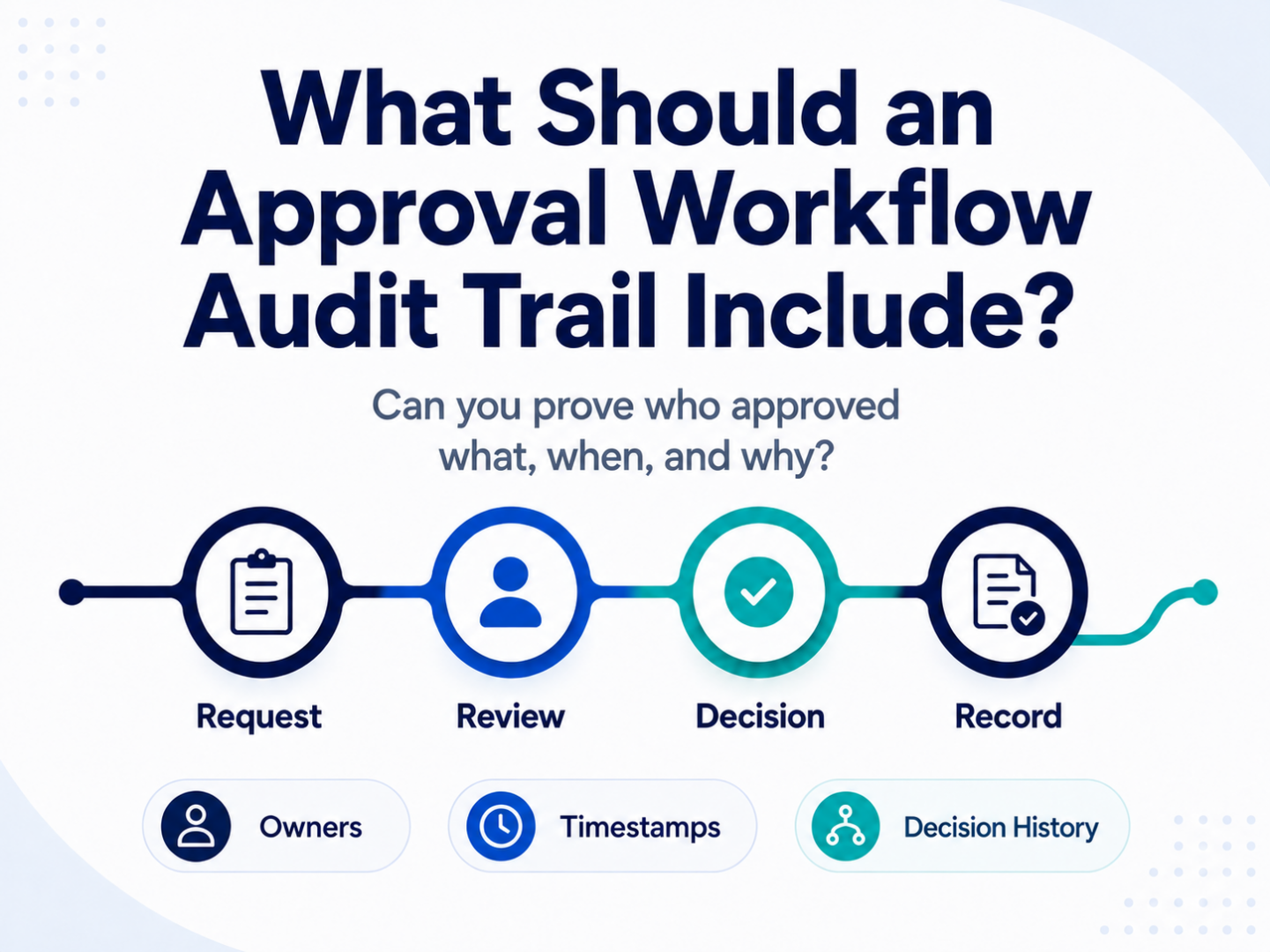
An approval is not just a decision. It’s a record of how work moved through a process, who reviewed it, what information they used, what decision they made, and what happened next.
When approval work is simple, a basic email reply may feel sufficient. Someone asks for approval, someone replies “approved,” and the team moves forward. But for recurring, regulated, high-value, or compliance-sensitive work, that’s usually not enough.
Teams often need to prove more than the final decision. Details like who submitted the request, which version of the information was reviewed, who approved or rejected it, when the decision happened, what comments were made, what tasks followed, and whether the workflow followed the right process, are often critical for reporting needs.
That is where an approval workflow audit trail becomes important.
An approval workflow audit trail is a structured record of the activity, decisions, assignments, documents, and status changes that occur as work moves through an approval process. It helps teams maintain accountability, improve visibility, support reporting, and prepare for audits or internal reviews.
Too many organizations managing complex or regulated work stop after asking the simple question of “Was this approved?”
The better question, and the one that will make or break an audit, is “Can we prove how this approval happened?”
What Is an Approval Workflow Audit Trail?
An approval workflow audit trail is a chronological record of the key actions and decisions that happen during an approval process.
It should show what was submitted, who reviewed it, what actions were taken, when those actions happened, what decision was made, and what information supported that decision.
A useful audit trail should help answer questions such as:
- Who submitted the request?
- What information was included?
- Who reviewed the request?
- Who approved or rejected it?
- When did each step happen?
- Were any steps skipped, reassigned, or escalated?
- What documents or attachments were reviewed?
- What comments or notes were added?
- What changed during the process?
- What was the final outcome?
- What follow-up work was created?
In other words, the audit trail should not just confirm that work was completed. It should show the path the work followed.
Why Approval Workflow Audit Trails Matter
Approval audit trails are useful for more than formal audits.
They help teams manage everyday accountability. They reduce confusion. They make it easier to investigate issues, answer questions, report on work, and improve the process over time.
Without a clear audit trail, teams may have to reconstruct approval history from email threads, chat messages, spreadsheets, shared folders, and memory. That is slow, unreliable, and usually unpleasant enough to make everyone involved suddenly interested in better process design.
A strong approval workflow audit trail can help teams:
- Prove who approved what
- Show when decisions were made
- Preserve supporting information
- Reduce reliance on scattered email threads
- Improve internal accountability
- Support compliance and quality reviews
- Identify process bottlenecks
- Investigate exceptions or disputes
- Standardize approval practices
- Strengthen reporting and leadership visibility
For regulated or complex work, audit trails can also help reduce the risk of incomplete records, undocumented decisions, and inconsistent processes.
What an Approval Workflow Audit Trail Should Include
A useful audit trail should capture the full story of the approval process. That does not mean recording unnecessary noise. It means preserving the information needed to understand, verify, and report on the work.
Here are the core elements an approval workflow audit trail should include.
1. Request Details
The audit trail should start with the original request.
This is the foundation of the record. If the request itself is vague, incomplete, or disconnected from the rest of the workflow, it becomes harder to understand everything that followed.
Request details may include:
- Request title or ID
- Request type
- Submitter name
- Submitter department or team
- Date and time submitted
- Business reason or description
- Required deadline
- Priority level
- Customer, vendor, project, or account information
- Related policy, requirement, or process
- Supporting documents or attachments
The goal is to make the starting point clear. Anyone reviewing the record later should be able to understand what was requested and why the approval process began.
2. Required Information and Supporting Documents
Approval decisions usually depend on context.
An audit trail should preserve the information reviewers used to make their decision. That may include form fields, uploaded documents, comments, evidence, screenshots, contracts, policies, specifications, inspection records, risk assessments, or other supporting materials.
This is especially important when approvals are tied to compliance, quality, safety, finance, legal, engineering, or customer commitments.
The audit trail should help answer:
- What information was available at the time of review?
- Were required fields completed?
- Were required documents attached?
- Which document version was reviewed?
- Was additional information requested?
- Was the request updated before approval?
This prevents the team from having to dig through separate folders or email threads to understand what the approver actually saw.
FYI – you can read more about replacing email-based approvals here.
3. Workflow Steps
An approval audit trail should show the steps the request followed.
This includes the planned workflow as well as the actual path taken. For simple approvals, that may be straightforward. For complex approvals, the workflow may include conditional routing, multiple reviewers, escalations, rework loops, or parallel approvals.
The audit trail should show:
- Each workflow step
- The order of steps
- The status of each step
- Whether steps were completed, skipped, reassigned, or reopened
- Whether the request moved through standard or exception-based routing
- When the request entered and exited each step
This helps prove that the process was followed and gives teams a clearer view of where work slowed down.
4. Assigned Owners
Every approval step should have a clear owner.
The audit trail should record who was responsible for each step of the process. That owner may be a specific person, role, department, or group.
Ownership details may include:
- Assigned reviewer
- Assigned approver
- Assigned team or role
- Original assignee
- Reassigned owner, if applicable
- Delegated approver, if applicable
- Escalation owner
- Final decision owner
This matters because approval delays often come from unclear responsibility. A good audit trail removes the fog. It shows who had the work, when they had it, and what action they took.
5. Dates and Timestamps
Timing is one of the most important parts of an audit trail.
An approval record should show when each key action occurred. This helps teams verify deadlines, investigate delays, and measure process performance.
Useful timestamps include:
- Date and time submitted
- Date and time assigned
- Date and time reviewed
- Date and time approved or rejected
- Date and time reassigned
- Date and time escalated
- Date and time reopened
- Date and time completed
- Due dates and deadline changes
Timestamps help answer not only what happened, but when it happened.
They also make reporting more useful. With reliable timing data, teams can measure approval cycle times, identify bottlenecks, and understand how long work spends in each stage.
6. Approval Decisions
The audit trail should clearly record each decision made during the workflow.
This includes more than a final “approved” or “rejected” status. Many workflows involve multiple decision points, conditional approvals, rework, or additional reviews.
Decision records should include:
- Decision made
- Person or role making the decision
- Date and time of decision
- Approval comments
- Rejection comments
- Conditions or exceptions
- Requested changes
- Reason for return or rework
- Final outcome
A strong decision record helps teams understand why work moved forward, why it was rejected, or why it required more information.
This is especially valuable when someone later asks, “Why was this approved?”
7. Comments and Notes
Comments and notes can provide important context around decisions.
However, they should be captured as part of the workflow record, not scattered across disconnected emails or side conversations.
Useful comments may include:
- Reviewer feedback
- Approval rationale
- Rejection reasons
- Questions from approvers
- Responses from submitters
- Notes about exceptions
- Clarifications about attached documents
- Internal handling notes
The goal is not to preserve every casual conversation. The goal is to keep decision-relevant context attached to the approval record.
8. Status Changes
Approval workflows move through different statuses. The audit trail should show those changes clearly.
Common statuses may include:
- Draft
- Submitted
- In review
- Waiting for information
- Assigned
- Approved
- Rejected
- Returned for changes
- Escalated
- Reopened
- Completed
- Closed
Status history helps teams understand how the request progressed. It also makes it easier to investigate why something took longer than expected or why a request changed direction.
For example, if a request was submitted, returned for missing information, resubmitted, escalated, and finally approved, the audit trail should show that sequence.
9. Reassignments, Delegations, and Escalations
Real workflows do not always move in a straight line.
People go out of office. Reviewers change. Managers delegate authority. Deadlines get missed. Certain requests require escalation.
The audit trail should capture these changes.
Reassignment and escalation records may include:
- Original assignee
- New assignee
- Reason for reassignment
- Delegated approver
- Escalation trigger
- Escalation recipient
- Date and time of escalation
- Action taken after escalation
This is important because reassignments and escalations can affect accountability. The record should make it clear who was responsible at each point in the process.
10. Version History and Change History
If information changes during the approval process, the audit trail should show what changed.
This is especially important when approvals involve documents, forms, specifications, policies, contracts, financial values, risk ratings, or technical details.
Change history may include:
- Updated field values
- Document version changes
- Attachment additions or removals
- Deadline changes
- Priority changes
- Scope changes
- Request description updates
- Routing changes
- Approval requirement changes
A useful audit trail should help answer: “Was the request approved based on the original information, or did something change before approval?”
11. Related Tasks and Follow-Up Actions
Approvals often create additional work.
For example, an approved request may trigger implementation tasks, customer notifications, compliance updates, document publication, corrective actions, procurement steps, or final reporting.
The audit trail should connect the approval decision to any follow-up actions created as part of the workflow.
This may include:
- Follow-up task assignments
- Due dates
- Completion status
- Responsible owners
- Related documents
- Final closure notes
This helps ensure the approval does not become a dead-end decision. It becomes part of a complete process.
12. Final Outcome and Closure
Every approval workflow should have a clear ending.
The audit trail should show the final outcome and when the process was closed. This may include:
- Final approval status
- Final rejection status
- Closure date
- Closing owner
- Completion notes
- Final documents
- Final reporting status
- Related work completed
A clear closure record helps teams avoid ambiguity. The request should not simply fade away once someone says yes.
What Makes an Approval Audit Trail Useful?
A useful audit trail is not just a pile of system activity. It should be clear, searchable, consistent, and tied to the actual approval process.
A strong audit trail should be:
Complete
It should capture the information needed to understand how the approval happened.
Chronological
It should show events in the order they occurred.
Searchable
Teams should be able to find approval records by request, owner, date, status, customer, department, workflow type, or other relevant fields.
Contextual
It should connect decisions to the information, documents, comments, and workflow steps that supported them.
Consistent
The same type of approval should generate the same type of record each time.
Reportable
The data should support dashboards and reporting, not just one-off record reviews.
Secure
Access should be controlled so sensitive approval records are only visible to the right people.
The best audit trails make the process easier to understand without requiring someone to become a detective with a spreadsheet lantern.
Why Email Is Not Enough for Approval Audit Trails
Email can preserve fragments of approval history, but it is not a reliable audit trail for structured approval work.
Approval history in email is often incomplete, inconsistent, and difficult to report on. Important context may be split across forwarded messages, attachments, reply chains, shared folders, and offline decisions.
Email-based approval records can also create problems such as:
- Missing attachments
- Conflicting versions
- Unclear final decisions
- Lost context
- Manual searching
- Inconsistent retention
- Limited reporting
- Difficulty proving the full workflow path
- No clear connection between decisions and follow-up tasks
Email may show that a conversation happened. It does not always show that a controlled process was followed.
For simple decisions, that may be acceptable. For regulated, recurring, or high-value work, it can create unnecessary risk.
How Approval Workflow Software Supports Audit Trails
Approval workflow software helps teams create audit trails automatically as work moves through a defined process.
Instead of relying on people to manually preserve approval history, the system records key workflow activity as part of normal work execution.
The right approval workflow software can help teams:
- Capture structured request data
- Assign ownership for each step
- Route approvals through defined paths
- Record decisions and timestamps
- Preserve comments and supporting documents
- Track reassignments and escalations
- Maintain status history
- Connect approvals to follow-up tasks
- Report on approval volume, timing, and bottlenecks
- Standardize approval records across teams
For a broader overview of how structured workflows support approvals, reviews, sign-offs, and records, see our guide to approval workflow software.
How HighGear Helps Teams Maintain Approval Workflow Records
HighGear helps teams manage approval-heavy work through structured workflows that are easier to track, report on, and improve.
With HighGear, teams can configure forms, define approval paths, assign ownership, route work through process rules, monitor status, and maintain records of workflow activity. This helps organizations move approval work out of scattered inboxes and spreadsheets and into a repeatable process with better visibility and accountability.
HighGear is especially useful for complex or regulated work where approvals are part of a larger operational process. That may include compliance reviews, policy approvals, safety workflows, risk assessments, technical reviews, customer service workflows, or other processes where teams need to know what happened and why.
HighGear helps teams:
- Capture approval requests through structured forms
- Route work to the right reviewers and approvers
- Assign ownership for each workflow step
- Track status in real time
- Preserve workflow activity and decision history
- Maintain supporting information with the approval record
- Report on open work, overdue tasks, bottlenecks, and completion trends
- Adjust workflows without custom code as requirements change
The result is a more reliable approval process with clearer records, stronger visibility, and less dependence on manual tracking.
Approval Audit Trail Checklist
Use this checklist when evaluating your current approval process.
A strong approval workflow audit trail should capture:
- Request title or ID
- Submitter
- Submission date and time
- Request type
- Required fields and supporting information
- Documents or attachments reviewed
- Workflow steps
- Assigned owners
- Reviewers and approvers
- Due dates
- Status changes
- Approval or rejection decisions
- Decision timestamps
- Comments and notes
- Reassignments or delegations
- Escalations
- Version or field changes
- Follow-up tasks
- Final outcome
- Closure date
- Reporting fields
If your team cannot easily find this information today, your approval process may be relying too heavily on email, spreadsheets, shared folders, or manual updates.
Final Takeaway
An approval workflow audit trail should tell the full story of how a request moved through the approval process.
It should show what was submitted, who reviewed it, what information they used, what decision they made, when they made it, what changed along the way, and what happened next.
For simple approvals, a basic record may be enough. But for recurring, regulated, compliance-sensitive, or high-value work, teams need more than scattered email replies and manually updated spreadsheets.
A structured approval workflow creates a clearer record of activity, decisions, ownership, and outcomes. That gives teams better visibility, stronger accountability, and a more reliable foundation for reporting and audit readiness.
Explore Approval Workflow Software
FAQs
What is an approval workflow audit trail?
An approval workflow audit trail is a chronological record of the actions, decisions, assignments, documents, comments, timestamps, and status changes that occur as work moves through an approval process.
Why is an audit trail important for approvals?
An audit trail helps teams prove who approved what, when the decision was made, what information was reviewed, and how the work moved through the process. It supports accountability, reporting, compliance, and process improvement.
What should an approval audit trail include?
An approval audit trail should include request details, submitter information, workflow steps, assigned owners, reviewers, approvers, timestamps, decisions, comments, documents, status changes, escalations, reassignments, follow-up tasks, and final outcomes.
Can email provide an approval audit trail?
Email can preserve some approval history, but it is usually not enough for structured approval workflows. Email records are often scattered, inconsistent, difficult to report on, and disconnected from workflow status, ownership, and follow-up tasks.
How does approval workflow software create an audit trail?
Approval workflow software creates an audit trail by recording key activity as work moves through defined steps. This may include request details, assignments, decisions, timestamps, comments, status changes, documents, and completion records.
What is the difference between approval history and an audit trail?
Approval history may show that a decision was made. An audit trail provides a broader record of the process, including how the request was submitted, who reviewed it, what changed, when actions occurred, and what happened after the decision.