
HighGear 10.3.3 expands the capabilities of Agentic AI Workflow Nodes with attached file support, introduces new tools that make form configuration faster and easier, and strengthens security controls for dashboard-embedded pages.
This release continues our focus on accelerating administrator productivity while giving security teams greater governance over the platform.
Release Schedule
SaaS customers will be upgraded to version 10.3.3 on the following dates:
- Early Access: Saturday, June 20th
- Mainstream: Saturday, June 27th
- Self-hosted customers will receive these features in the next rollup release
For support, please contact Support@HighGear.com.
For additional licenses or services, please contact Sales@HighGear.com.
New Features
Attached File Support in Agentic AI Nodes
Agentic AI Workflow Nodes can now read and process files attached to tasks, allowing your AI-powered workflows to work directly with the documents your teams handle every day.
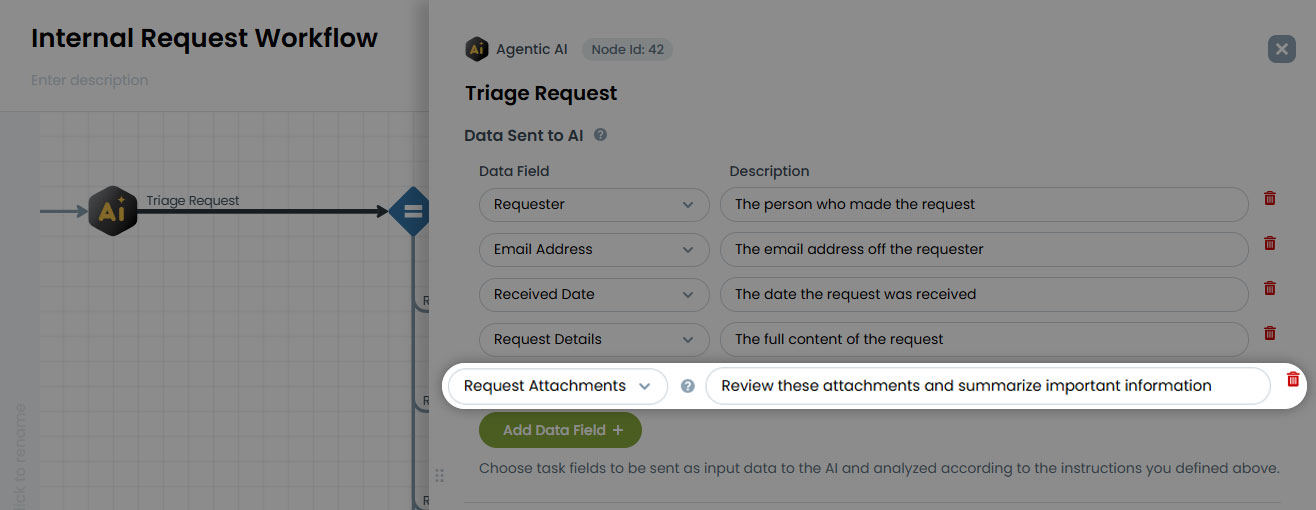
Supported file types include:
- PDF documents
- Images: .png, .jpeg, .gif, .webp
- Text files: .txt, .log, .md, .csv, .tsv, .json, .xml
This enhancement opens the door to powerful new automation scenarios, such as extracting data from submitted documents, summarizing attached reports, or validating uploaded files as part of a workflow all without manual review.
Form Designer Improvements
HighGear 10.3.3 makes designing forms even faster and more intuitive:
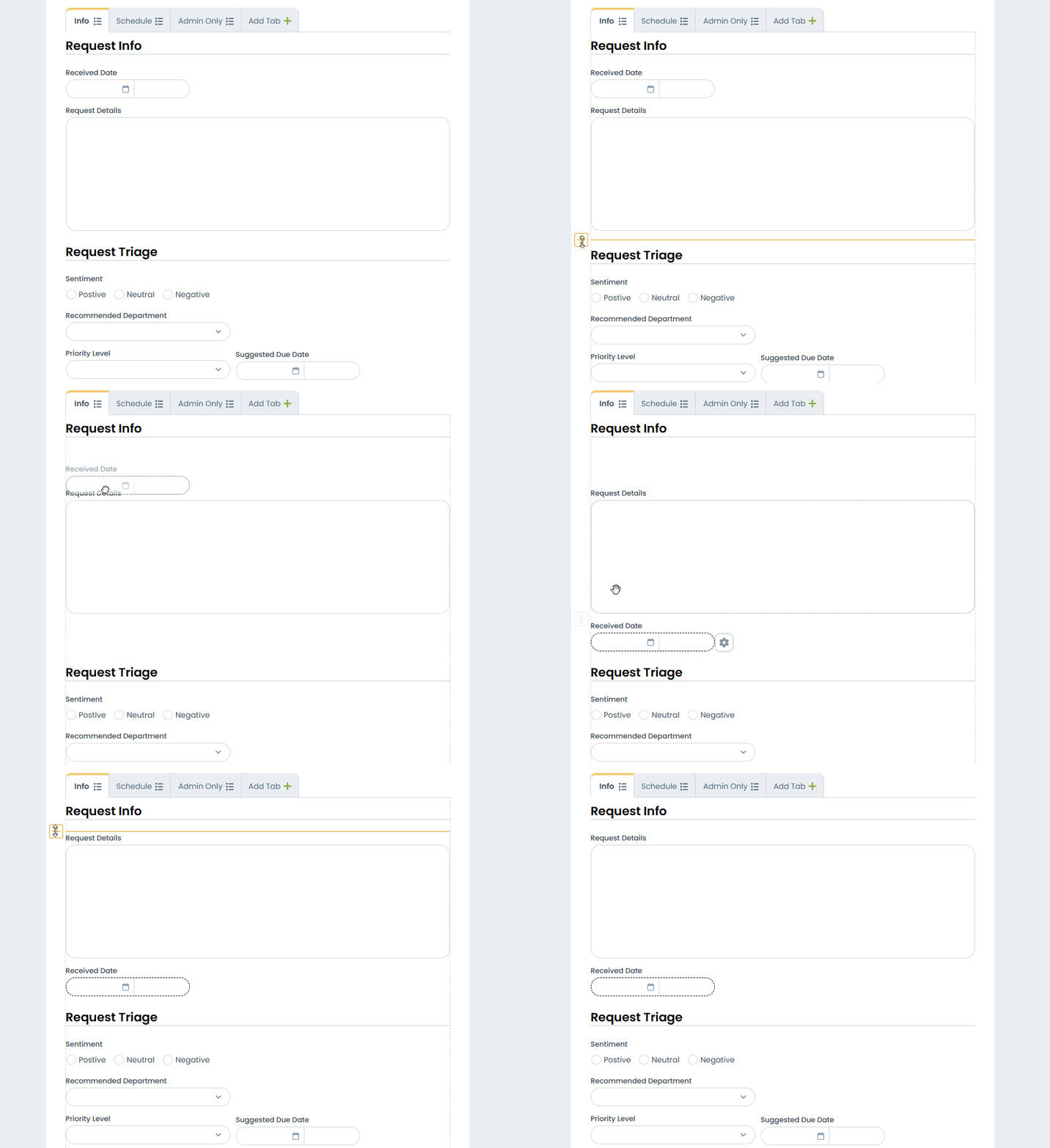
New spacer bar
Easily add and remove vertical space between fields and display text, giving you precise control over form layout.
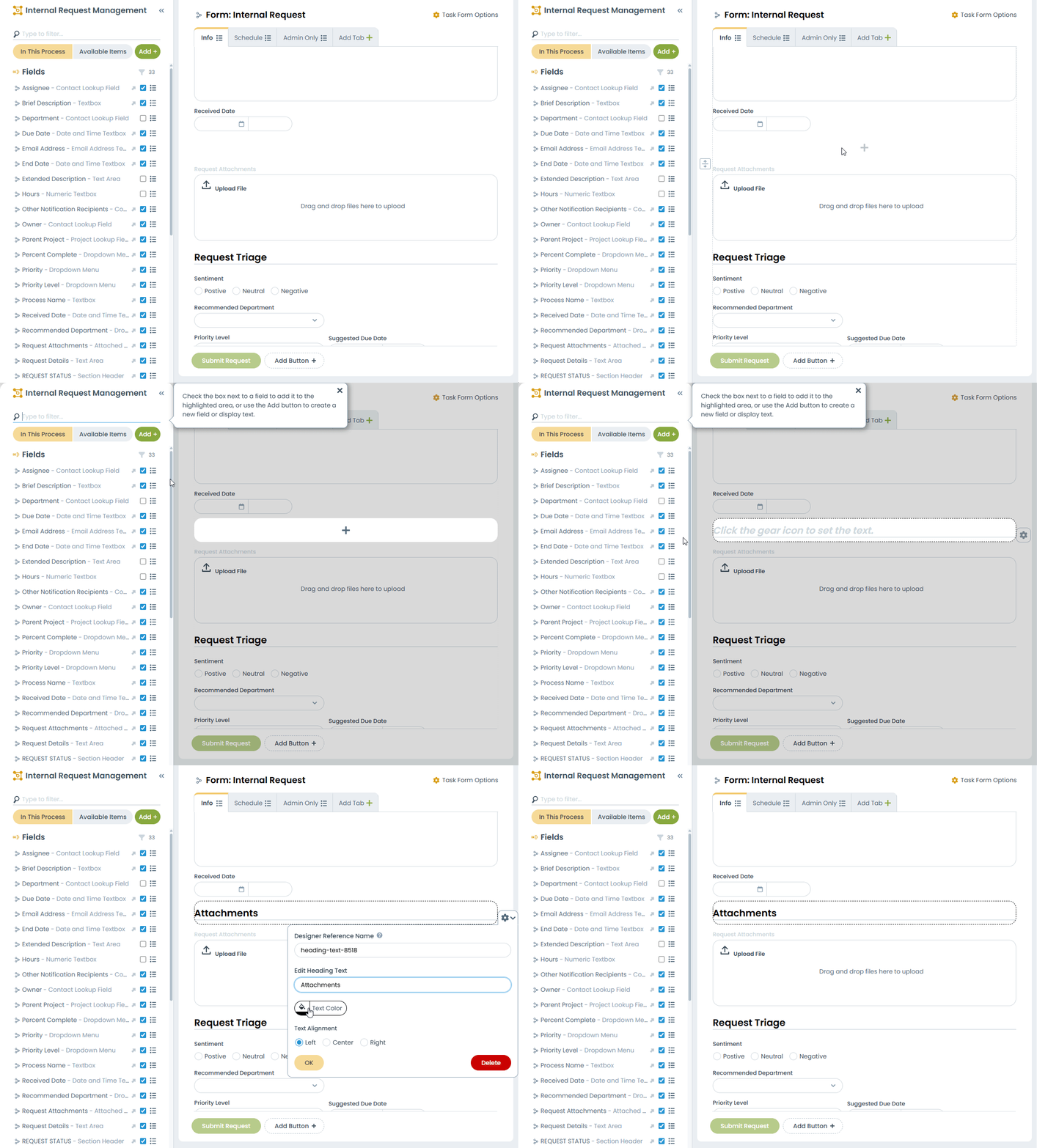
New empty-area add button
Add fields and display text anywhere on the form in just a few clicks
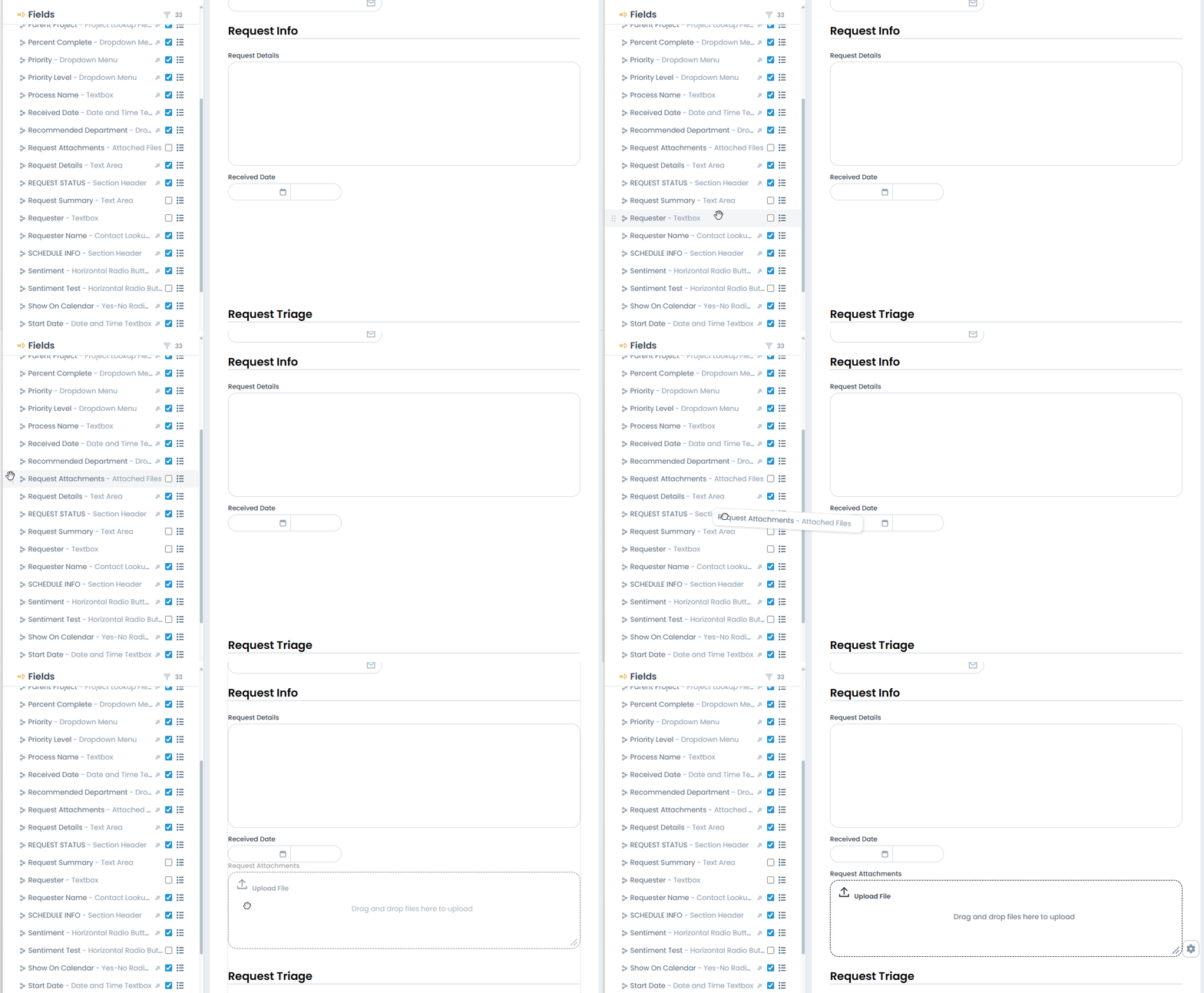
Improved visual design
Updated styling makes it more obvious that fields can be dragged from the sidebar onto the form.
Together, these improvements reduce configuration effort and make it easier than ever to create clean, user-friendly forms.
Copy an Existing Field
Administrators can now duplicate existing fields, reducing the time required to configure forms with similar fields.
When a field is duplicated, all options and configurations are copied to the new field, including:
- Permissions
- Dropdown options
- Numeric configuration
- Table columns
Enhanced Security for Dashboard Embedded Pages
Security administrators now have a new layer of governance over Embedded Page dashboard tiles. A new administrative interface allows you to configure exactly which domains are permitted for use in embedded pages.
Key capabilities include:
- Domain allow list: Only approved domains can be embedded in dashboard tiles.
- Granular path control: Each domain can be configured to allow only the specified path exactly, or to also permit sub-directories.
- Seamless upgrade experience: Upon upgrading to 10.3.3, all domains referenced by embedded page tiles on existing dashboards are automatically added to the allow list. This way your current dashboards continue working without interruption.
HighGear 10.3.3 delivers smarter AI-powered workflows, faster form configuration, and stronger security governance, all designed to help your teams build, manage, and scale with confidence.